Tutorial with a real world sample
Here is a fairly complete tutorial, it is a use case that comes from the real world. At the end of the tutorial you will have a good understanding of Rougail.
Objectives
Configuring (the setting of) your favorite web browser.
This tutorial will show you an example of Rougail use based on the how to set a proxy in the Mozilla Firefox browser use case.
More precisely, this tutorial aims at reproducing variables behind this Mozilla Firefox settings page:
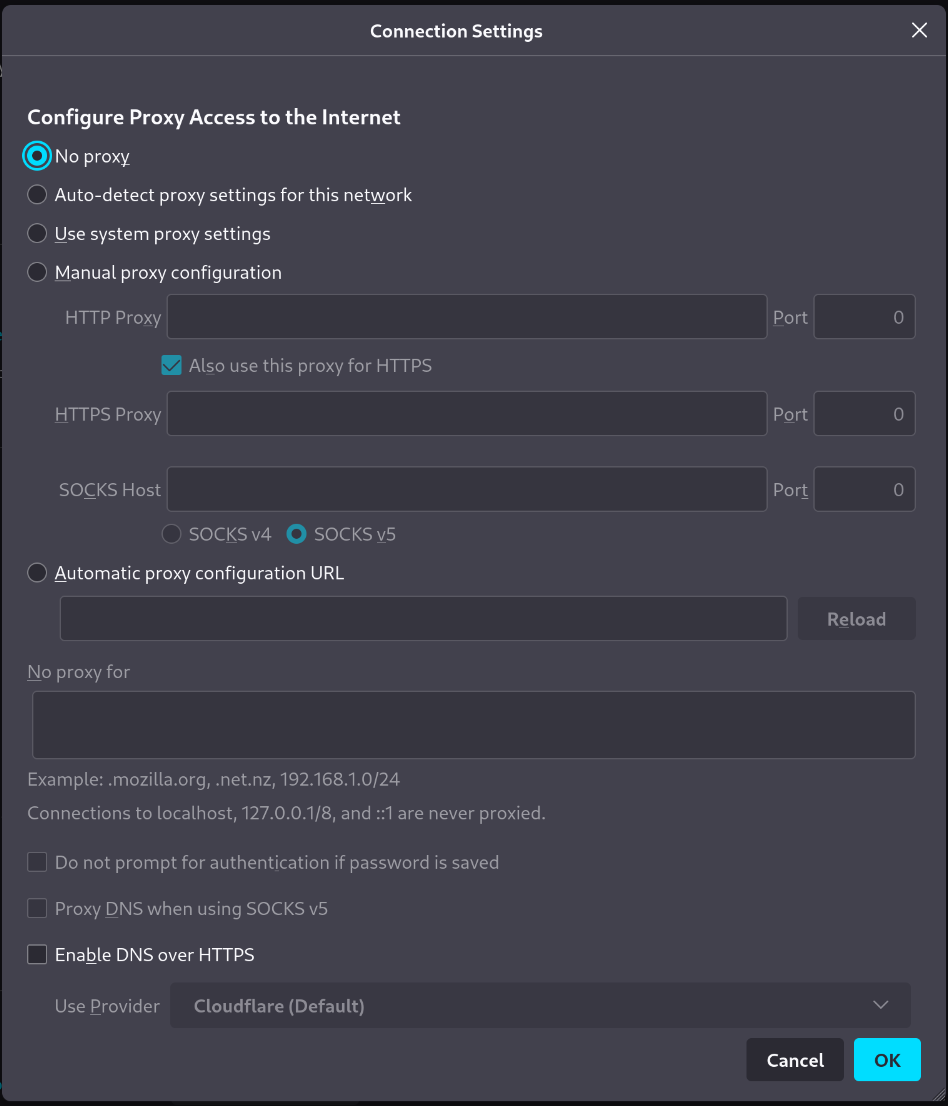
We’ll call the variables configuration options since that’s what the variables represent in this use case.
Attention
We are not coding a Firefox plugin here. We are just going to handle some of the Firefox configuration settings with Rougail. We are just validating them.
The configuration option values entered by the user have to be:
validated
consitent
conform
Let’s dive into this configuration options validation use case.
Important advice
It is advisable to follow this tutorial with the help of the corresponding Rougail git repository tutorial. You can instead copy/paste or download the different file contents that are explained in this tutorial step and save the files to your computer. However, if you use the git Rougail tutorial repository, you will have all the necessary files distributed in the correct tree structure, which is in our opinion much more practical.
git clone -b 1.1 https://forge.cloud.silique.fr/stove/rougail-tutorials.git
The Firefox tutorial
- Getting started
- A variable with possible values
- Group variables inside families
- Some suitable types
- Calculated default value for a variable
- Define access to variable or family
- A dynamically built family
- Playing with Jinja
- Custom type
- Nullable variable
- A
web_addressvariable - Variable with multiple values
- A full documented variable
- Practice
- The Jinja propertyerror test
- Modes
- Practice
- Validating a variable’s value
- Namespaces
- Homogeneous elements sequence
- Regexp type with calculation
- Auto save value
- Name and parameter conflict
- Variable calculation with propertyerror
- Redefine variable