Rougail’s library description
Rougail is a configuration management library that allows you to load variables in a simple and convenient way.
In the following examples, we will use a specific configuration of Rougail.
To load the configuration you must import the RougailConfig class and set the main_structural_directories values:
from rougail import RougailConfig

RougailConfig['main_structural_directories'] = ['dict']
Let’s convert a our first structural file
As a reminder, a structure file is a set of instructions that will allow us to create families and variables.
Let’s start by creating a simple structure file.
Here is a first dict/00-base.yml structure file:
%YAML 1.2
---
version: 1.1

my_variable: my_value  # my variable
...
Then, let’s create the Tiramisu objects via the following script:
script.py file contentfrom rougail import Rougail, RougailConfig
RougailConfig['main_structural_directories'] = ['dict']
rougail = Rougail()
config = rougail.run()
print(config.value.get())
Let’s execute script.py:
$ python3 script.py
{'rougail.my_variable': 'my_value'}
The operator role
The operator role corresponds to the tiramisu settings:
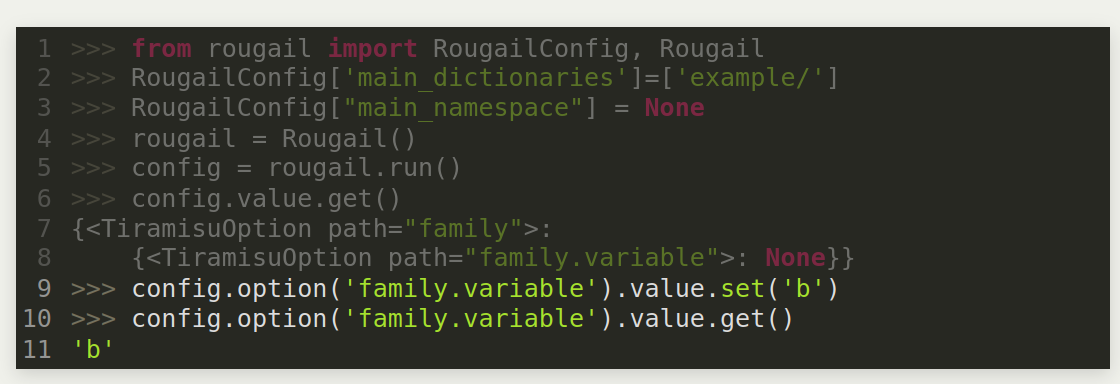
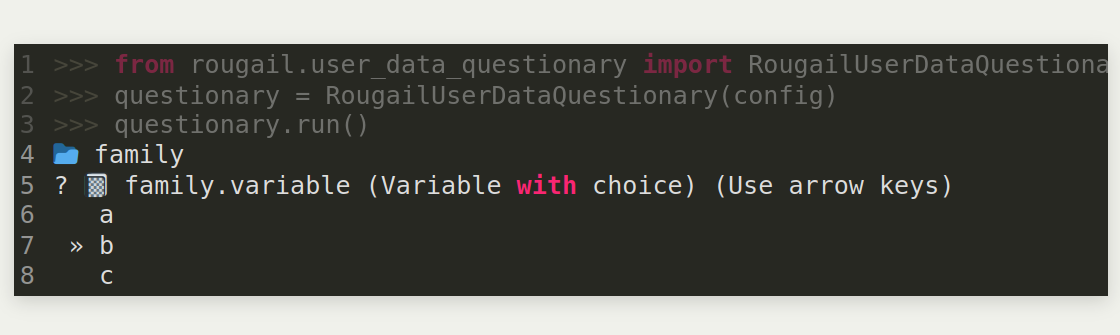
But instead of coding in the end user developer way, the opterator will prefer using the Rougail CLI interface:
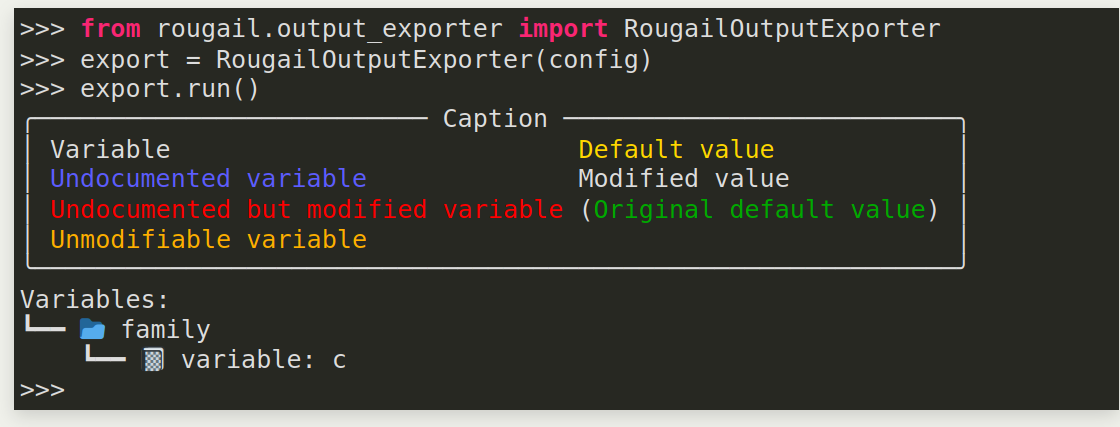
The Rougail CLI can output a rather complete view of the dataet:
Use library